
This tutorial helps you learn more about how to integrate a courier account into your eMAG Marketplace seller account.
At the moment, the eMAG Marketplace platform offers to its sellers the possibility to choose between these courier companies: Urgent Cargus, DPD, Fan Courier.
In order to ensure a successful and on time shipping of your orders, we recommend you to add at least two courier companies in your seller account.
If you choose to add Urgent Cargus, DPD or Fan Courier, you must first contact the chosen company and sign an agreement for collection, transport and delivery of your shipments.
After signing the legal documents, the courier company will send you the user and the access password for your courier account. Using these credentials, you can integrate the courier right into your seller account by completing the following steps:
- Go to the My account menu and select the Courier Accounts section.
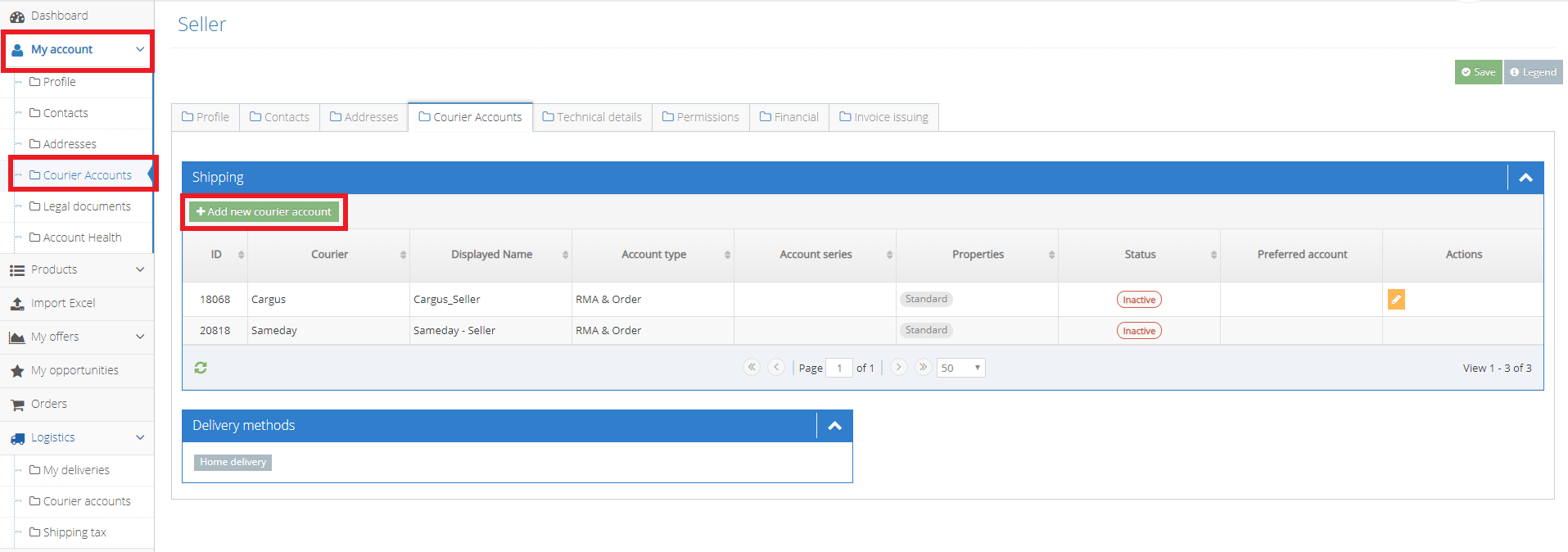
2. In the Shipping area press the green Add a new courier account
3. A new 3 steps form opens:
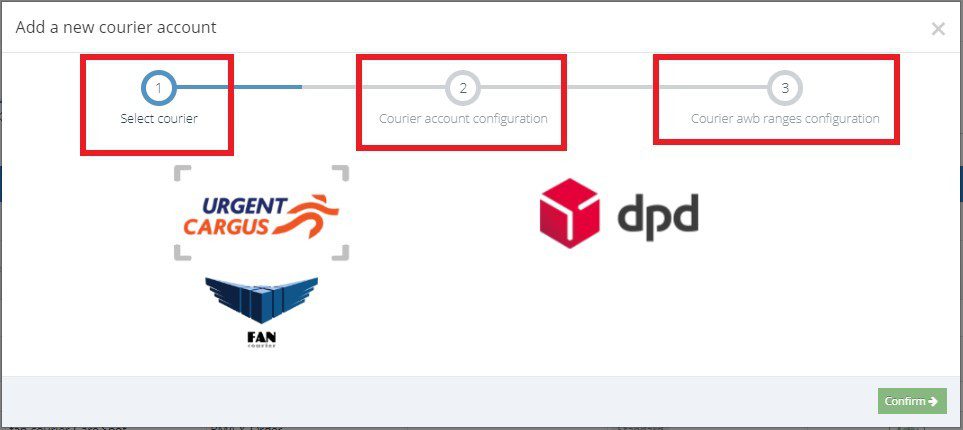
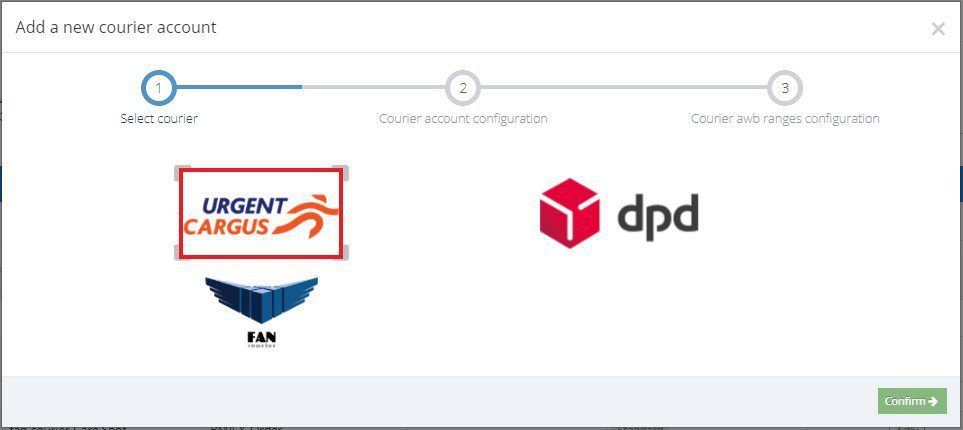
- Select courier. Using your mouse, select the desired courier company: Urgent Cargus, DPD or FanCourier then press Confirm to go further, to the second step.
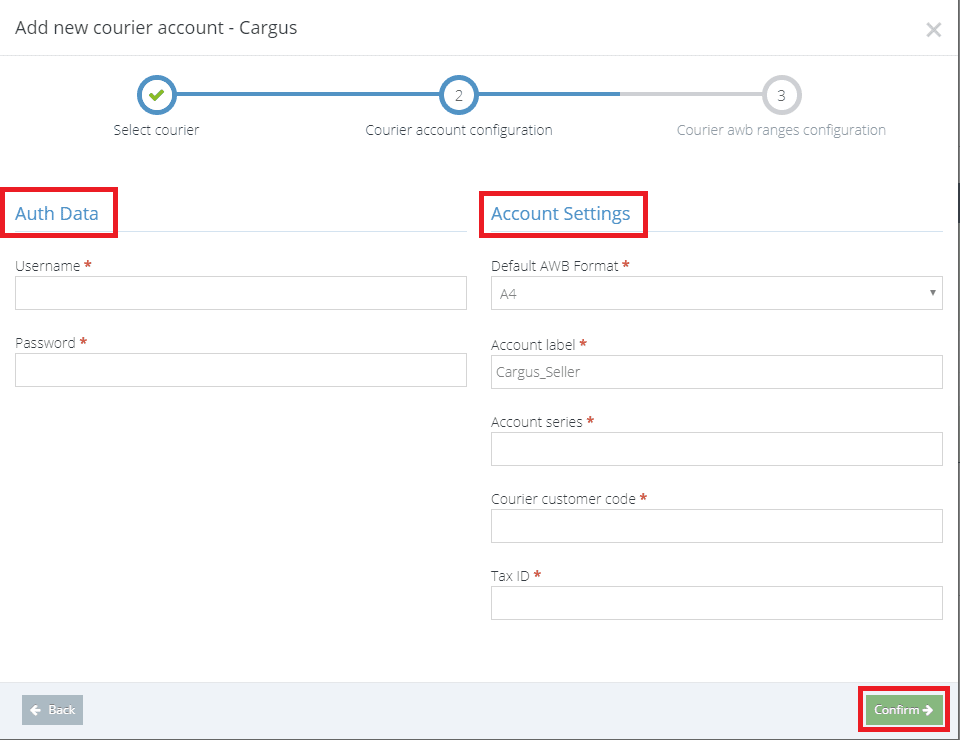
- Courier account configuration. Here you can set the authentication data: the user and the password that you have just received from the courier company. You can also set the account settings like default AWB format, the account label, account series, courier customer code or the tax id. After completing, press Confirm and go to the final step.
- Courier AWB ranges configuration. Here you can set the AWB series and the label series ranges.

If there is something, you want to recheck from the previous steps information, and then press the grey Back button.
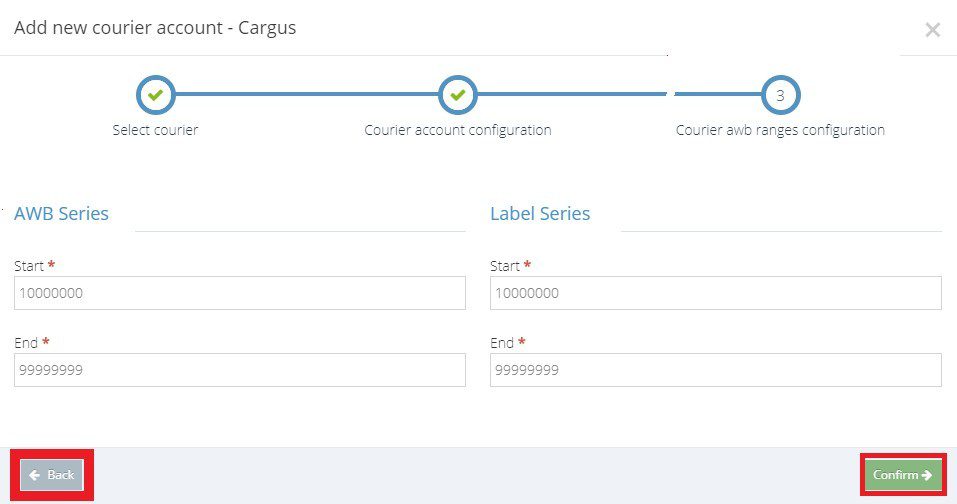
When you have finished completing all the information, press Confirm and your new courier account will be displayed in your seller account. You can find it in the Logistics menu, the Courier accounts section.


