| Council Directive (EU) 2021/514 amending Directive 2011/16/EU on administrative cooperation in the field of taxation was transposed into Hungarian law by Act XXXVII of 2013 on Certain Regulations on International Administrative Cooperation in the Field of Taxes and Other Charges. On this basis, the eMAG Marketplace platform collects and provides information to the National Tax and Customs Office about the companies (Sellers) that sell their products through the platform, as well as about the transactions carried out through it. |
| In addition to the data provided during the registration process on the eMAG Marketplace platform, certain fields must also be completed.
In this guide, we describe how you can provide the information required for DAC 7: |
| 1. Additional tax identification numbers (CIF/NIF) and information about the countries where you have tax residency or a permanent office.
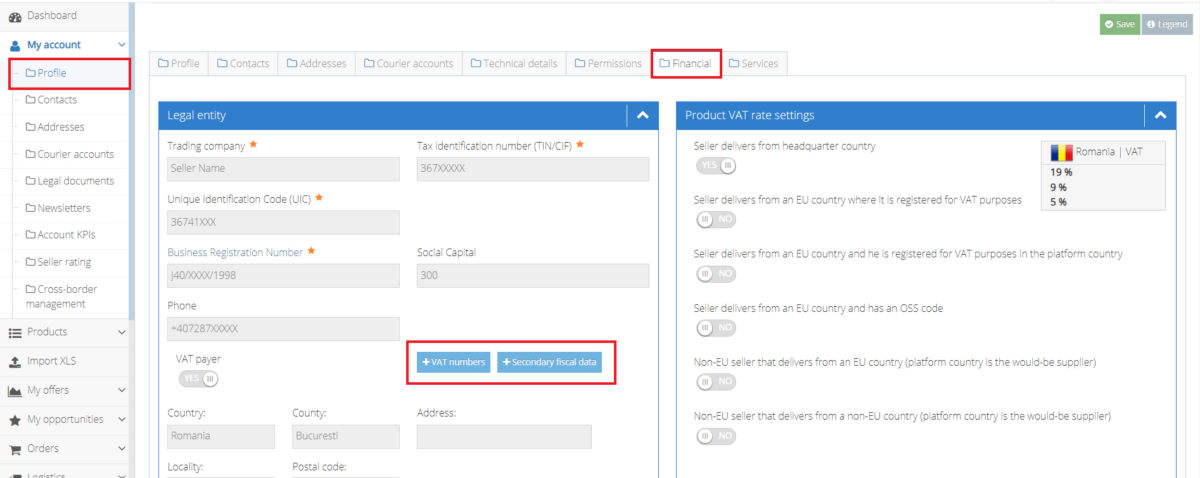
• Log in to your seller account and go to: side menu › My account › Profile › Financial › Legal entity.
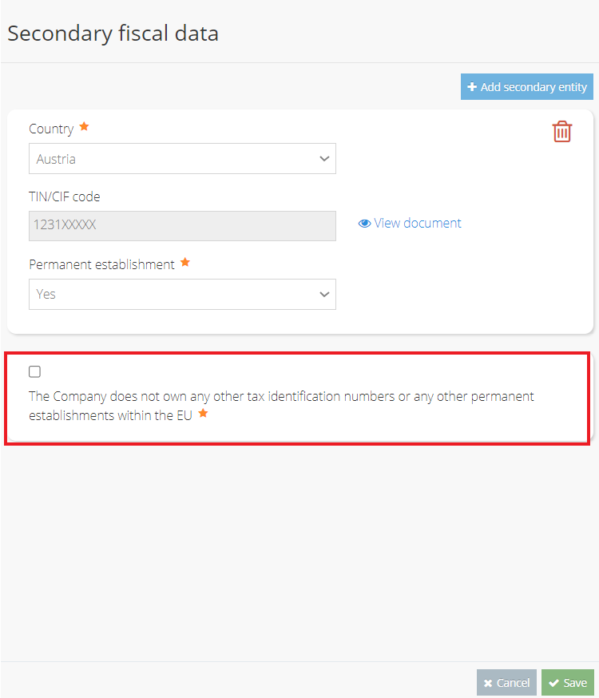
By clicking the +Secondary fiscal data button, a section opens where you can enter the details of all your secondary taxable persons (use +Add secondary fiscal data for each additional one): • Country: the country where you have tax residency. • TIN/CIF code: the secondary tax number. • Permanent establishment: you can select whether it is a permanent establishment (Yes / No). If you only have one company registration certificate, you must tick the box “The Company does not own any other tax identification numbers or any other permanent establishments within the EU”.
|
| 2. The tax numbers you have registered
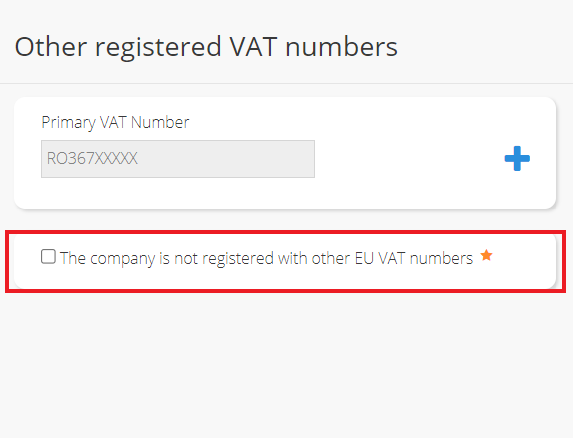
• By clicking the +VAT numbers button, a similar section opens where you can enter all the secondary VAT numbers you hold. If you only have one VAT number, you must tick the box “The company is not registered with other EU VAT numbers”.
|
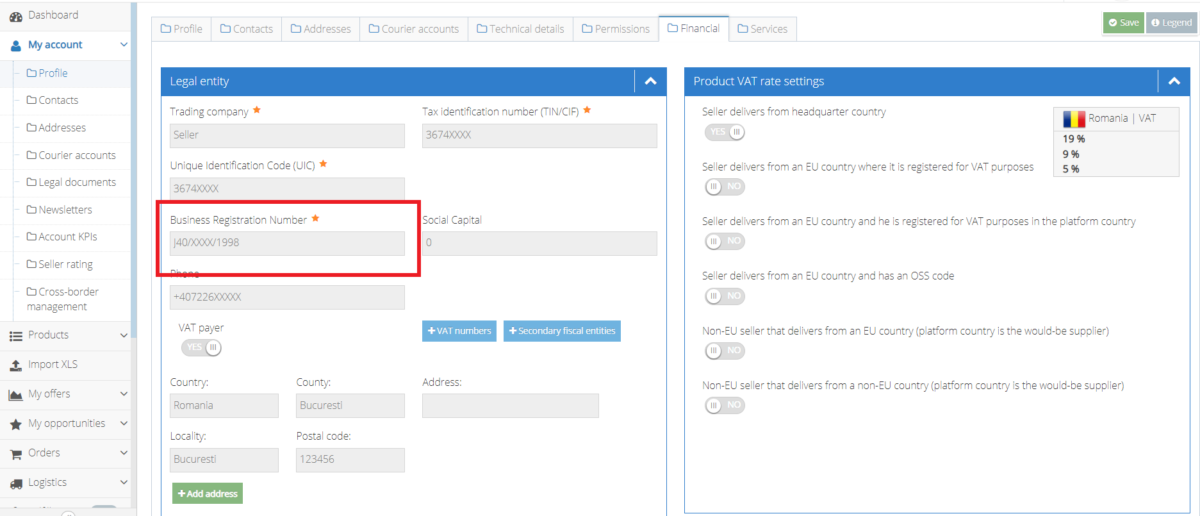
| 3. Your company’s trade register number is already pre-filled, but if it contains an error, you can edit the field or send us the correct details through the Message Center.
You can find this in the “Business Registration Number” field in the Legal entity section.
|
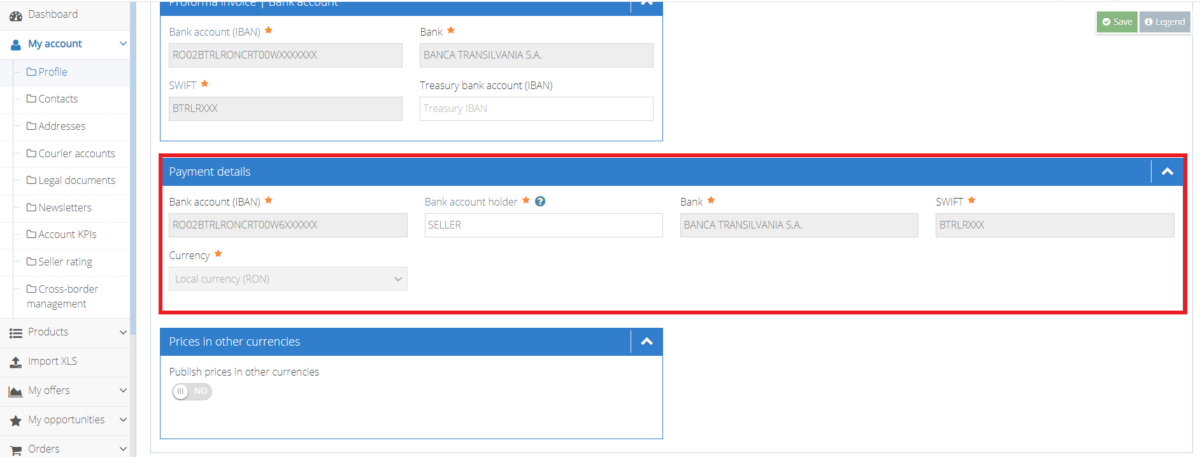
| 4. The name of the account holder to whom the consideration for the orders is paid or credited is already available on the eMAG Marketplace platform. However, if it is incorrect, you must enter the correct details.
You can find this information in the “Payment details” section.
|
| If you notice that any other company details are incorrect, please write to us in the Message Center, so that we can report accurately to the National Tax and Customs Office (NAV).
If you have any questions or problems regarding the DAC 7 directive, you can also write to us in the Message Center. |